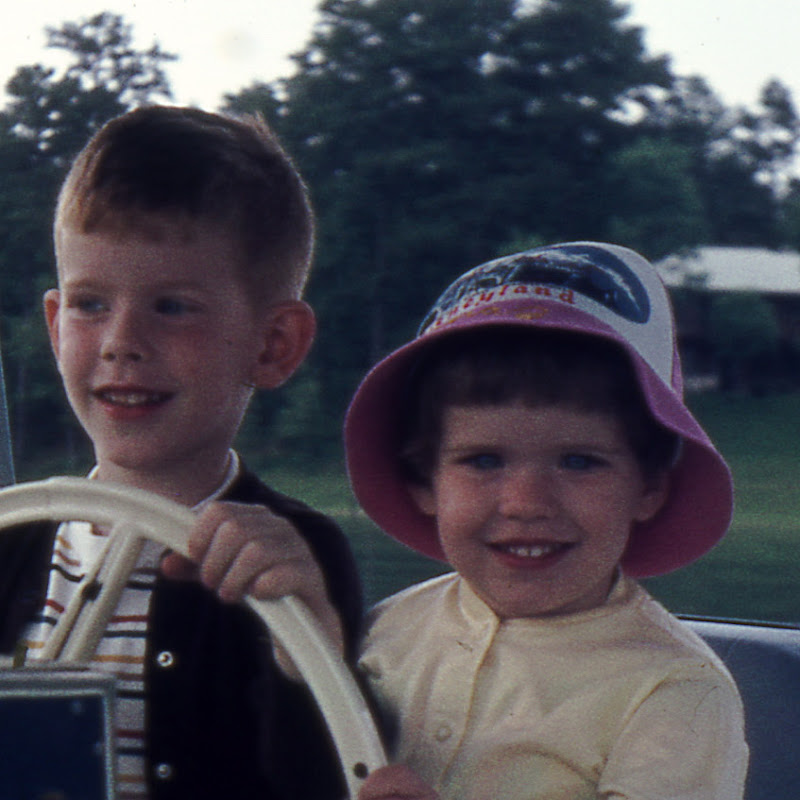
On these recent summer nights, our household has been arranging itself as follows: Noel and I in the living room, watching TV, working, knitting, and/or reading; Cady Gray in Archer's room, watching Twitch, playing Steam, chatting with friends online, drawing, roleplaying; and Archer in the front room, keeping up with his various YouTube-based "camps." Every once in awhile Archer will pop up from the couch and go running into his room to tell CG something, or come into the living room to tell us something -- he's had a thought about how Ten Words of Wisdom is working out, or has just learned an amusing fact on Numberphile.
Last night he jumped up, hustled down the hallway, burst into his room and said "Hello!" Except CG wasn't in his room. She was in the living room with us, talking about Romeo And/Or Juliet. All three of us watched and listened, bemused, as he ran past and shouted "Hello!" to an empty room. Then we burst into laughter.
Archer came in and stood in the doorway, smiling uncontrollably. We were laughing at his mistake, at something he had done that turned out to be funny. But -- and here's the important thing -- he wasn't angry or frustrated with us, or even embarrassed about the mistake. He was enjoying the fact that we found it amusing, because he found it amusing too. He grinned and commented happily on the error, recognizing that his assumption had gone hilariously awry. He knew we weren't laughing at him, even though, y'know, we were laughing at what he did. He was having as much fun as we were.
I looked at that smile and thought how remarkable it was. For a boy who had to consciously practice being aware of how others saw him, putting himself in their shoes, and tailoring his actions accordingly, it represented how very far he's come.
And those YouTube camps he watches hours upon end? They're part of it. He emulates the YouTubers who play gamemaster to their subscribers, creating "object shows" where cartoon icons like Golf Ball and Cat Bed compete in Survivor-like competitions, earning points and being eliminated. These channels don't just entertain him passively; he learns from them (and from the feedback they incorporate into the ongoing game) how to manage interactions. His earliest efforts were based on popular marble-race videos made using the software physics engine Algodoo, combined with animated Wacky Races-style cartoons like Battle for Dream Island. But at the same time as his Keynote animation skills develop, so do his interactive instincts, all propelled by his simultaneous interests in designing a good game and keeping his subscribers happy.
Just look at what's going on in his most recent camp, Battle for Regal Planet (here's a video from 10 months ago, and here's one from last week after an Undertale-inspired design reboot). He's even started narrating his TWOW-homage Realm of Fifty Characters, just like his hero carykh. Listen to how smooth and expressive that narration is. He writes it all out, but it's full of dramatic twists. He's clearly aware of his listeners and pitches his presentation to their expectations, needs, and entertainment.
Years ago as we were trying to imagine our #robotboy's future, I hoped that computer interaction, with its throttled stream of cues and information, would allow him to make progress in socialization. Today I'm amazed at how that has happened, in realms I never could have foreseen.
Showing posts with label computers. Show all posts
Showing posts with label computers. Show all posts
Thursday, June 9, 2016


Saturday, July 23, 2011
Prerequisites
If you're a Mac owner, the big deal this weekend is OS X Lion, the new version of the Apple operating system. It's got a number of very interesting innovations, including being distributed without discs or boxes, and bringing some iPhone- and iPad-like interfaces to the computer.
One fascinating feature of the distribution is that a single download of the OS can be installed on all the computers a person owns. I have a copy of the installer, but I'm not going to double-click until I free up a lot more space on my (rather skimpy) MacBook Air hard drive.
I'm doing that by splitting my 35 GB iPhoto library in two and putting all the older photos onto an external disk. But I don't feel secure having the only copy of those files in only one place, so I'm not deleting the photos from my laptop iPhoto library (and getting back that disk space) until I upload a copy to Flickr.
Which I'm doing as fast as I can. But it points to a character trait that bedevils me sometimes. I can't start something I want to do unless I feel ready, and that often means getting a bunch of preliminary things done first. I know people who would just dive in, but not me. I'm a scene-setter. I'm a two-steps-backer.
It doesn't always make me happy, this need to get all my affairs in order before enjoying myself. In fact, it sometimes keeps me from doing things I want to do. I end up frustrated and feeling impotent, having gotten nothing done because I couldn't get far enough back to get the requisite running start. And I have plenty of good examples where taking the opposite tack -- jumping in with both feet -- has paid off handsomely. When nobody's life or livelihood is at stake, when the worst that might happen is that you'll learn something by making a couple of mistakes, why not just do it?
What I'm most concerned about, I think, is my precious time. If I've got a free afternoon or evening, I want to do something rewarding with it. Then the search for something rewarding becomes a high-stakes affair, and nothing seems good enough. That's when I start convincing myself that I can't do x until I've done y and z, and if I do y and z today I won't get to x, and y and z are not a rewarding way to use my limited free time.
The problem just gets worse when free time begins to be in shorter supply, and that's the case here at the end of the summer. Nevertheless, I have managed to overcome my self-defeating procrastination and get some things done. I hope that when my schedule returns to academic-year normal, I'll look back on the summer and feel like I made progress on things I wanted to do three months ago.
One fascinating feature of the distribution is that a single download of the OS can be installed on all the computers a person owns. I have a copy of the installer, but I'm not going to double-click until I free up a lot more space on my (rather skimpy) MacBook Air hard drive.
I'm doing that by splitting my 35 GB iPhoto library in two and putting all the older photos onto an external disk. But I don't feel secure having the only copy of those files in only one place, so I'm not deleting the photos from my laptop iPhoto library (and getting back that disk space) until I upload a copy to Flickr.
Which I'm doing as fast as I can. But it points to a character trait that bedevils me sometimes. I can't start something I want to do unless I feel ready, and that often means getting a bunch of preliminary things done first. I know people who would just dive in, but not me. I'm a scene-setter. I'm a two-steps-backer.
It doesn't always make me happy, this need to get all my affairs in order before enjoying myself. In fact, it sometimes keeps me from doing things I want to do. I end up frustrated and feeling impotent, having gotten nothing done because I couldn't get far enough back to get the requisite running start. And I have plenty of good examples where taking the opposite tack -- jumping in with both feet -- has paid off handsomely. When nobody's life or livelihood is at stake, when the worst that might happen is that you'll learn something by making a couple of mistakes, why not just do it?
What I'm most concerned about, I think, is my precious time. If I've got a free afternoon or evening, I want to do something rewarding with it. Then the search for something rewarding becomes a high-stakes affair, and nothing seems good enough. That's when I start convincing myself that I can't do x until I've done y and z, and if I do y and z today I won't get to x, and y and z are not a rewarding way to use my limited free time.
The problem just gets worse when free time begins to be in shorter supply, and that's the case here at the end of the summer. Nevertheless, I have managed to overcome my self-defeating procrastination and get some things done. I hope that when my schedule returns to academic-year normal, I'll look back on the summer and feel like I made progress on things I wanted to do three months ago.
Friday, June 24, 2011
It's back!
It took multiple efforts, e-mails, phone calls, and coordination of schedules, but my beloved MacBook Air is finally back in my hands. MyService repaired its hinges under an Apple recall and charged me just for shipping. I have a whole new upper clamshell.
While I've been able to get along quite well with only my iPad (and the occasional jump onto Noel's or the kids' computer), there are certain things I haven't been able to do for a couple of weeks while my computer has been away. Chief among them is getting photos off my camera. I've completed a couple of projects and have started to document my new crafting area (the "before" photos, at least), and all of it is still sitting on my camera. I'm excited about what I've made, and eager to share it with my readers and Ravelry friends. A succession of crafting posts is in the offing.
With my computer back, it feels like projects that have been put on hold can now be resumed. I can remeasure the room and order the furniture. I have the flexibility to work on my various personal and professional tasks anywhere I am. Car's fixed, computer's fixed, appliances are working. Having one or more of those items out of service for periods of time recently has felt like a disadvantage, like having a temporary handicap. Things that pose no obstacle in the ordinary course of events suddenly became difficult, or required workarounds and extra planning.
Something can break or get put out of commission at any time. As I've said frequently, it always feels as if such things don't happen on an even schedule, but in clumps. We had both computers in the shop at once, a car sitting in the mechanic's lot, and a strange leak around our A/C that we couldn't figure out. But we were able to deal with all of it thanks to a relatively low-stress and lightly-scheduled summer calendar. I sometimes get worked up over everything that goes wrong; when things get out of my control, I frequently lose my cool. Although there were setbacks in some of these situations, by and large I was convinced that we were doing the right thing, taking care of business, being responsible and not just reacting to inevitable breakdowns. Now I'm hoping that all that effort will be rewarded with reliability from our mechanical support situations during periods to come when failures would end up being far more inconveniencing.
While I've been able to get along quite well with only my iPad (and the occasional jump onto Noel's or the kids' computer), there are certain things I haven't been able to do for a couple of weeks while my computer has been away. Chief among them is getting photos off my camera. I've completed a couple of projects and have started to document my new crafting area (the "before" photos, at least), and all of it is still sitting on my camera. I'm excited about what I've made, and eager to share it with my readers and Ravelry friends. A succession of crafting posts is in the offing.
With my computer back, it feels like projects that have been put on hold can now be resumed. I can remeasure the room and order the furniture. I have the flexibility to work on my various personal and professional tasks anywhere I am. Car's fixed, computer's fixed, appliances are working. Having one or more of those items out of service for periods of time recently has felt like a disadvantage, like having a temporary handicap. Things that pose no obstacle in the ordinary course of events suddenly became difficult, or required workarounds and extra planning.
Something can break or get put out of commission at any time. As I've said frequently, it always feels as if such things don't happen on an even schedule, but in clumps. We had both computers in the shop at once, a car sitting in the mechanic's lot, and a strange leak around our A/C that we couldn't figure out. But we were able to deal with all of it thanks to a relatively low-stress and lightly-scheduled summer calendar. I sometimes get worked up over everything that goes wrong; when things get out of my control, I frequently lose my cool. Although there were setbacks in some of these situations, by and large I was convinced that we were doing the right thing, taking care of business, being responsible and not just reacting to inevitable breakdowns. Now I'm hoping that all that effort will be rewarded with reliability from our mechanical support situations during periods to come when failures would end up being far more inconveniencing.
Tuesday, June 21, 2011
Earning my trust
I've had a pleasant day of interactions with some of my favorite businesses. Just as a bad experience with a business can temporarily make you a raving misanthrope, dealing with people you trust and who treat you right fills the world with rainbows and your heart with love toward your fellow man.
Since 2001, when we bought our Subaru Outback, we've been patronizing Skip's Foreign Car Repair here in Conway. A good, honest mechanic is worth his weight in gold, and there are hundreds of us locally who are praying Skip never retires. He's quick, communicative, and tells it like it is. I had planned to take the Subaru to him next week to get an oil change and some service I knew was about to be needed -- like a new timing belt -- before we drive it to Tennessee in six weeks or so. Today I walked out to the garage and found that it had a flat tire. Well, no problem -- I'd just have it towed to Skip's and get that started a little early.
I asked Skip to check to see if we needed a whole new set of tires, and within the hour he called me back to say only the damaged one needed replacing. Off I went to tirerack.com, where I bought the car's last set of tires. Looked up my previous order so I could match the tires exactly, placed the order to drop-ship to Skip's, and the tire was on its way before the end of the day. There's another business whose wealth of information, professionalism, and empowerment of the customer gives me a wonderful experience and a wonderful feeling, every time.
And speaking of online businesses, let me conclude this post with a round of applause for MyService.com. We don't have an Apple authorized service provider in our town -- the closest one is Little Rock, and the closest Apple Store is Memphis. So when I need repairs on my computers that AppleCare doesn't cover, I get online and place an order with MyService. They'll send me a prepaid shipping box, do a complete free diagnostic, contact me frequently with information and ask my permission before doing any work, and ship it back promptly. What I like best about MyService is the reliable communication. The same person calls or emails to keep me abreast of everything I need to know about my order. I always feel secure that I know where my computer is, what's being done to it, and what I can expect next.
Trust is an essential component to a healthy mental life. I feel so fortunate being able to do business regularly with people I trust. And I'm happy to sing their praises to friends local and readers everywhere.
Since 2001, when we bought our Subaru Outback, we've been patronizing Skip's Foreign Car Repair here in Conway. A good, honest mechanic is worth his weight in gold, and there are hundreds of us locally who are praying Skip never retires. He's quick, communicative, and tells it like it is. I had planned to take the Subaru to him next week to get an oil change and some service I knew was about to be needed -- like a new timing belt -- before we drive it to Tennessee in six weeks or so. Today I walked out to the garage and found that it had a flat tire. Well, no problem -- I'd just have it towed to Skip's and get that started a little early.
I asked Skip to check to see if we needed a whole new set of tires, and within the hour he called me back to say only the damaged one needed replacing. Off I went to tirerack.com, where I bought the car's last set of tires. Looked up my previous order so I could match the tires exactly, placed the order to drop-ship to Skip's, and the tire was on its way before the end of the day. There's another business whose wealth of information, professionalism, and empowerment of the customer gives me a wonderful experience and a wonderful feeling, every time.
And speaking of online businesses, let me conclude this post with a round of applause for MyService.com. We don't have an Apple authorized service provider in our town -- the closest one is Little Rock, and the closest Apple Store is Memphis. So when I need repairs on my computers that AppleCare doesn't cover, I get online and place an order with MyService. They'll send me a prepaid shipping box, do a complete free diagnostic, contact me frequently with information and ask my permission before doing any work, and ship it back promptly. What I like best about MyService is the reliable communication. The same person calls or emails to keep me abreast of everything I need to know about my order. I always feel secure that I know where my computer is, what's being done to it, and what I can expect next.
Trust is an essential component to a healthy mental life. I feel so fortunate being able to do business regularly with people I trust. And I'm happy to sing their praises to friends local and readers everywhere.
Wednesday, June 15, 2011
New and nearly new
I've been hanging on by a thread at work for the last few months with a crippled laptop. My beloved Lenovo tablet has been plagued by a problem with the screen, which flips around to turn the machine from a laptop to a tablet. Three times I had a problem where the screen only rotated with difficulty, followed by a failure of the display. The first two times I took it to IT, they sent it away, and it came back with a new motherboard. The third time we were ordering replacement computers for several faculty members, so rather than continue the cycle I decided to upgrade to the new model.
A laptop without a working screen is, in effect, a desktop, since it has to be hooked up to a monitor to be useful. So anytime I've needed mobile computing in the last half of the semester, I had to remember to bring my Macbook Air from home.
Today I got the replacement tablet, and boy is it sweet, what with a screen that lights up and displays information, and the ability to lift it out of its dock and carry it about whilst it still functions as a computer. One more step in getting my electronics environment back in working order.
While Noel and the kids are gone over the weekend, I'm hoping to set things up so the kids can have a computer of their own. For that to happen, I have to take old technology and make it new again. Not only does the computer need to be brought into the second decade of the twenty-first century, but I have to set up an old wireless access point to work with our more up-to-date network. It will be like recreating the configuration we had in 2003 and gluing it onto the side of the whiz-bang 2011 version.
If it works (which is by no means assured), the whole thing will be new to the kids; they'll be thrilled. I'll be thrilled, I admit. I love taking the old and making it new again -- it validates my packrat ways, since a sane person would have displosed of this eight-year-old computer and wireless pod long ago.
A laptop without a working screen is, in effect, a desktop, since it has to be hooked up to a monitor to be useful. So anytime I've needed mobile computing in the last half of the semester, I had to remember to bring my Macbook Air from home.
Today I got the replacement tablet, and boy is it sweet, what with a screen that lights up and displays information, and the ability to lift it out of its dock and carry it about whilst it still functions as a computer. One more step in getting my electronics environment back in working order.
While Noel and the kids are gone over the weekend, I'm hoping to set things up so the kids can have a computer of their own. For that to happen, I have to take old technology and make it new again. Not only does the computer need to be brought into the second decade of the twenty-first century, but I have to set up an old wireless access point to work with our more up-to-date network. It will be like recreating the configuration we had in 2003 and gluing it onto the side of the whiz-bang 2011 version.
If it works (which is by no means assured), the whole thing will be new to the kids; they'll be thrilled. I'll be thrilled, I admit. I love taking the old and making it new again -- it validates my packrat ways, since a sane person would have displosed of this eight-year-old computer and wireless pod long ago.
Monday, June 13, 2011
Information cascade
When it rains it pours, and when there's a drought you can't buy a break. Noel and I have been without laptops since the middle of last week. Mine got to the repair shop today, which was expected -- I sent it ground and decided to live with the slow pace. Noel was hoping to have his back the same day, but ended up having to leave it over the weekend and retrieve it today.
We were muddling through, dealing with things that don't work so well (posting to the AV Club content management system, chiefly), until I screwed up our network connection in a misguided affort to refurbish an old computer. We had a tense couple of hours of no internet at all while I tried to either put things back the way they should be, or create a new configuration that would work.
Then this morning Noel stopped receiving e-mail, and when I tried to send him something I got back a "user quota exceeded" error. Turns out our local ISP isn't too generous with the amount of e-mails it will let you keep on its server; the 500 or so that Noel had gotten over the last several days was too much for them. When he was able to get his laptop back and actually take the e-mails off the server, everything got back to normal.
It always seems to be that way -- when you're down, the universe kicks you, and when you're trying to work around less than optimal circumstances, your window gets narrower and narrower.
But in a good sign for thinking and acting sensibly about networks, online community guru and personal hero of mine Derek Powazek has started a new project to counter skeptical, doomsaying, or downbeat assessments of the internet and our interactions through it. Amusingly, it was inspied by a particularly off-the-mark tweet by a respected commentator. I like where Derek is going with this -- especially as foreshadowed by his Declaration of Principles. Follow his progress on this tumblr, and enjoy the counter-narrative that's so badly needed.
We were muddling through, dealing with things that don't work so well (posting to the AV Club content management system, chiefly), until I screwed up our network connection in a misguided affort to refurbish an old computer. We had a tense couple of hours of no internet at all while I tried to either put things back the way they should be, or create a new configuration that would work.
Then this morning Noel stopped receiving e-mail, and when I tried to send him something I got back a "user quota exceeded" error. Turns out our local ISP isn't too generous with the amount of e-mails it will let you keep on its server; the 500 or so that Noel had gotten over the last several days was too much for them. When he was able to get his laptop back and actually take the e-mails off the server, everything got back to normal.
It always seems to be that way -- when you're down, the universe kicks you, and when you're trying to work around less than optimal circumstances, your window gets narrower and narrower.
But in a good sign for thinking and acting sensibly about networks, online community guru and personal hero of mine Derek Powazek has started a new project to counter skeptical, doomsaying, or downbeat assessments of the internet and our interactions through it. Amusingly, it was inspied by a particularly off-the-mark tweet by a respected commentator. I like where Derek is going with this -- especially as foreshadowed by his Declaration of Principles. Follow his progress on this tumblr, and enjoy the counter-narrative that's so badly needed.
Monday, June 6, 2011
Computer free
As we all know, you can fill your house with computers, as many as you like, and they will all fail at once. We have two main computers at home, my Air and Noel's iBook. Both have failures that require them to go to the shop this week. The Air left today to have a broken hinge replaced; Noel will be calling about his battery-bulge problem tomorrow.
And of course, the moment they all fail is one of the several times a year when you have some public presentation to make that isn't a simple matter to transfer to another device. I have a Keynote presentation I give to incoming freshmen at our summer orientation session, which takes place this Thursday. I could export it to a Powerpoint and use a Windows laptop to present it -- if my Windows laptop weren't essentially a desktop right now, with a dead screen requiring it to be hooked up to an external monitor to be useful. That works in a pinch for a presentation, but it's not optimal to have to glance behind you at the screen to know what you're projecting.
Before sending off the Air, I put the presentation on my iPad (through the GoodReader file transfer and PDF reader app), and today, with some trepidation, I downloaded the iPad version of Keynote to see if I could do the presentation directly from the device. The presentation needed some serious updating for this year, too, and so I began working through the process of editing it. My trepidation turned gradually to delight. Placing elements on the slides, adding transitions and orchestrating movement, even grabbing screenshots from other apps (PDFs, webpages) and inserting them into the show was far more intuitive than using a mouse and screen interface. I especially appreciated the ease of zooming in on anything the iPad can display, taking a screenshot, inserting the image from the iPad's photo library, resizing and masking it to show just the part I need, and adding annotations and highlights.
The experience was exhilarating. I ended up going much farther in improving the presentation, replacing outdated images to more closely match what the families will be looking at on their handouts, and making the flow more intuitive. Next time I'm skipping the laptop and going straight to the iPad to make my presentation -- and I can't wait to experimenting with hooking the device up to the projector and controlling it via touch.
And of course, the moment they all fail is one of the several times a year when you have some public presentation to make that isn't a simple matter to transfer to another device. I have a Keynote presentation I give to incoming freshmen at our summer orientation session, which takes place this Thursday. I could export it to a Powerpoint and use a Windows laptop to present it -- if my Windows laptop weren't essentially a desktop right now, with a dead screen requiring it to be hooked up to an external monitor to be useful. That works in a pinch for a presentation, but it's not optimal to have to glance behind you at the screen to know what you're projecting.
Before sending off the Air, I put the presentation on my iPad (through the GoodReader file transfer and PDF reader app), and today, with some trepidation, I downloaded the iPad version of Keynote to see if I could do the presentation directly from the device. The presentation needed some serious updating for this year, too, and so I began working through the process of editing it. My trepidation turned gradually to delight. Placing elements on the slides, adding transitions and orchestrating movement, even grabbing screenshots from other apps (PDFs, webpages) and inserting them into the show was far more intuitive than using a mouse and screen interface. I especially appreciated the ease of zooming in on anything the iPad can display, taking a screenshot, inserting the image from the iPad's photo library, resizing and masking it to show just the part I need, and adding annotations and highlights.
The experience was exhilarating. I ended up going much farther in improving the presentation, replacing outdated images to more closely match what the families will be looking at on their handouts, and making the flow more intuitive. Next time I'm skipping the laptop and going straight to the iPad to make my presentation -- and I can't wait to experimenting with hooking the device up to the projector and controlling it via touch.
Thursday, June 2, 2011
Fixer upper
Last summer we finally did something about our ramshackle, deteriorating landscaping in the front yard, putting up a new retaining wall and installing some grass. Given how much needed to be done, the operation, modest as it was, exhausted our available resources and made a big difference right away.
Now we're ready to think about phase 2, installing some beds and features and reshaping the existing borders. Another big operation, but summer is the time for such things.
It's also the time to make sure everything we use regularly -- like cars and computers -- is in good working order. Naturally, when you start looking, you find things that need to be fixed. After I wrote a week ago about needing a new MacBook Air sometime soon, the notoriously unreliable screen hinge cracked on me this morning (with an audible "snap"). And Noel, who's been having trouble with his iBook's trackpad, suddenly discovered the cause today -- a bulging battery, something we've never seen before but that has been a problem in various models for several years. Noel's computer is still covered by AppleCare, and mine should be covered by a recall of these hinge assemblies that Apple announced earlier this year, but we'll see if we end up being out any money.
Summer is also the time of long car trips -- the most miles we put on our cars every year, given that we don't have commutes to speak of. Both cars need checkups to make sure they're fully road-worthy. And finally, following Noel's good example, I need to get on with a new general practitioner and have a full physical. I'm back with my gynecologist and I've been in good health, but with aging knocking on my door I need to be ready.
There are a lot of things in our lives and property that need work. We can't do all of them. But isn't it nice that the summer is here, with its open calendar and vacation days, so that we can do some of them, making steady progress toward our responsibilities and our future.
Now we're ready to think about phase 2, installing some beds and features and reshaping the existing borders. Another big operation, but summer is the time for such things.
It's also the time to make sure everything we use regularly -- like cars and computers -- is in good working order. Naturally, when you start looking, you find things that need to be fixed. After I wrote a week ago about needing a new MacBook Air sometime soon, the notoriously unreliable screen hinge cracked on me this morning (with an audible "snap"). And Noel, who's been having trouble with his iBook's trackpad, suddenly discovered the cause today -- a bulging battery, something we've never seen before but that has been a problem in various models for several years. Noel's computer is still covered by AppleCare, and mine should be covered by a recall of these hinge assemblies that Apple announced earlier this year, but we'll see if we end up being out any money.
Summer is also the time of long car trips -- the most miles we put on our cars every year, given that we don't have commutes to speak of. Both cars need checkups to make sure they're fully road-worthy. And finally, following Noel's good example, I need to get on with a new general practitioner and have a full physical. I'm back with my gynecologist and I've been in good health, but with aging knocking on my door I need to be ready.
There are a lot of things in our lives and property that need work. We can't do all of them. But isn't it nice that the summer is here, with its open calendar and vacation days, so that we can do some of them, making steady progress toward our responsibilities and our future.
Tuesday, May 24, 2011
Upgrade
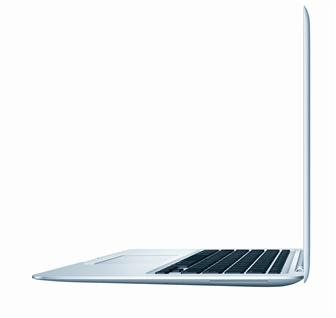
I love my MacBook Air. To everyone who asks, I rave that it's my favorite of all the computers I've owned. Sleek, light, ultraportrable, yet a workhorse with a full-sized keyboard and screen and plenty of memory for my cloud-computing tendencies.
The original knock on the Air, back when it was introduced, was the lack of a disc media drive. I bought an external drive with the machine, but I can count on one hand the number of times I've used it in three years. It makes no sense to carry a heavy drive every day when you might need it once a month to install software -- and with downloadable software the new norm, that's a level of use that few people will ever reach.
My original Air is a little more than three years old now. It's served me well. But it's showing signs of age -- increasing slowness, the spinning beach ball, a lot of force-quitting needed. I'm inclined to think it could be rehabilitated, slimmed down, retrofitted for a different purpose, and live another several years. My few tentative steps in that direction have made some difference, but I still have trouble playing video and keeping high-demand applications (like Twitter clients) open.
And Apple has introduced the next generation Air, which features a solid-state hard drive standard. It was an option on the first generation, but I didn't get it. I prefer iPad-style flash memory storage -- no moving parts to wear out.
It may not be the right time to replace my Air in terms of getting a closeout deal of some kind. And I don't have any urgent need for a new machine for any particular projects or functions upcoming. (Well, except for my movie-clip-laden orientation talk to the new freshmen in early June.) But every time I have to shut down and restart to get my applications to run smoothly, or sit through long delays between mouse clicks registering, I start dreaming about a new dream machine -- and feel a little guilty about the love I'm leaving behind.
The original knock on the Air, back when it was introduced, was the lack of a disc media drive. I bought an external drive with the machine, but I can count on one hand the number of times I've used it in three years. It makes no sense to carry a heavy drive every day when you might need it once a month to install software -- and with downloadable software the new norm, that's a level of use that few people will ever reach.
My original Air is a little more than three years old now. It's served me well. But it's showing signs of age -- increasing slowness, the spinning beach ball, a lot of force-quitting needed. I'm inclined to think it could be rehabilitated, slimmed down, retrofitted for a different purpose, and live another several years. My few tentative steps in that direction have made some difference, but I still have trouble playing video and keeping high-demand applications (like Twitter clients) open.
And Apple has introduced the next generation Air, which features a solid-state hard drive standard. It was an option on the first generation, but I didn't get it. I prefer iPad-style flash memory storage -- no moving parts to wear out.
It may not be the right time to replace my Air in terms of getting a closeout deal of some kind. And I don't have any urgent need for a new machine for any particular projects or functions upcoming. (Well, except for my movie-clip-laden orientation talk to the new freshmen in early June.) But every time I have to shut down and restart to get my applications to run smoothly, or sit through long delays between mouse clicks registering, I start dreaming about a new dream machine -- and feel a little guilty about the love I'm leaving behind.
Friday, February 18, 2011
The essentials
Ah, there's nothing like a new hobby. Assembling a library, acquiring tools, building skills. I love throwing myself into a new interest wholeheartedly, researching the best techniques and references.
Carol got me started in the best possible way -- by sharing her own list of essentials. There's something irresistibly wise and constructive about such a list. Those who have learned by experience what is most useful, sharing that experience as a starting point with beginners and helping them avoid the long period of trial and error. Cool Tools can be used to assemble such a list for dozens of specialized and routine occupations. Mark Frauenfelder recently started adding his most-used and most-useful Mac applications onto a new computer, and decided to share them in order of centrality to his life in a series of Boing Boing posts.
Do you have a list of essentials that help you do your job, or something else you love to do? And if that thing is sewing, all the better. Please share on your own site, or in the comments?
Carol got me started in the best possible way -- by sharing her own list of essentials. There's something irresistibly wise and constructive about such a list. Those who have learned by experience what is most useful, sharing that experience as a starting point with beginners and helping them avoid the long period of trial and error. Cool Tools can be used to assemble such a list for dozens of specialized and routine occupations. Mark Frauenfelder recently started adding his most-used and most-useful Mac applications onto a new computer, and decided to share them in order of centrality to his life in a series of Boing Boing posts.
Do you have a list of essentials that help you do your job, or something else you love to do? And if that thing is sewing, all the better. Please share on your own site, or in the comments?
Saturday, January 15, 2011
Magical
We're now used to living in a world where the iPhone and its larger cousin, the iPad, have spawned a thousand imitators. It's hard to think back to a time when a smartphone meant having a keyboard, web browser, and graphical texting. In retrospect, it seems obvious that the way people want to use mobile devices is with little purpose-built apps they can mix and match in any combination they please, customizing their handheld computers for the tasks they want to perform.
But the success of the iPad should remind us just how big a gamble and how bold a piece of imagination our taken-for-granted world once was. Creating the iOS took an early decision to be user-focused rather than hacker/hobbyist-focused. Putting the file system and the guts of the operating system of out reach, and allowing access only through a controlled system of miniature programs predictably angered do-it-yourselfers. When the iPad came out, a lot of frustration was vented about Apple's decision to make it an iPhone writ large rather than a computer writ small.
Making that move required futurist thinking that broke free of the computer operating system models that dominated our experiences five years ago. Starting from scratch and thinking about how we could interact with a mobile device -- how we could buy, install, update, and use software -- and what we really cared about in our computing interactions (hint: it's not folder hierarchies or knowing where things are stored) -- led to an unbelievably risky proposal that now feels simply inevitable.
But the success of the iPad should remind us just how big a gamble and how bold a piece of imagination our taken-for-granted world once was. Creating the iOS took an early decision to be user-focused rather than hacker/hobbyist-focused. Putting the file system and the guts of the operating system of out reach, and allowing access only through a controlled system of miniature programs predictably angered do-it-yourselfers. When the iPad came out, a lot of frustration was vented about Apple's decision to make it an iPhone writ large rather than a computer writ small.
Making that move required futurist thinking that broke free of the computer operating system models that dominated our experiences five years ago. Starting from scratch and thinking about how we could interact with a mobile device -- how we could buy, install, update, and use software -- and what we really cared about in our computing interactions (hint: it's not folder hierarchies or knowing where things are stored) -- led to an unbelievably risky proposal that now feels simply inevitable.
Friday, September 24, 2010
Turnaround
Sending away my beloved MacBook Air is always difficult. But earlier this week, I had to do it. I had noticed awhile back that the volume indicator in my menubar was grayed out. Not needing sound except very occasionally, I didn't investigate further; I leave the sound off on my laptop as a rule, and only think about turning it on if I'm watching a YouTube video.
And then the moment came two weekends ago when I wanted to look at a YouTube video, and tried to turn on the sound. No dice -- the volume indicator that comes up when you hit the speaker buttons showed a circle with a line through it. Opening up the sound pane in system preferences revealed that the computer wasn't "seeing" any sound output devices. No headphone sound ... no speaker sound.
Time to Google and see if anyone else had experienced this. Yep, turns out this is a known issue on MacBook Airs and other MacBooks, where the Audio Flex Cable needs to be replaced. Check AppleCare status -- still have more than 100 days on my warranty. (Always get AppleCare on any computer or phone purchase. Always.)
Call AppleCare. I'm prepared for a long conversation, since even though I've researched the issue, the techs usually want to go through a diagnostic process on the phone. Very pleasantly surprised to find that the tech accepts my assessment of the problem prima facie; the first question he asks after "what's the problem?" is "do you want to mail it in or take it to a store?"
Mail it in, of course! (The nearest store is two and a half hours away.) The box arrives on Tuesday; I take it to the FedEx location to drop it off Wednesday at 11 am. Thursday morning I get an e-mail from Apple saying they've received it. Thursday afternoon I get an e-mail from Apple saying they've fixed it and it's on its way back. Friday morning Noel signs for it. Friday evening I turn it on and hear the pleasing startup chime that says, "Yep, we fixed it!"
Did I mention that I love my MacBook Air? I do. It's my favorite computer that I've ever owned. And I'm so glad its minor sound problem has been fixed, that it's back in my hands, and that I'm writing this blog post on it.
And then the moment came two weekends ago when I wanted to look at a YouTube video, and tried to turn on the sound. No dice -- the volume indicator that comes up when you hit the speaker buttons showed a circle with a line through it. Opening up the sound pane in system preferences revealed that the computer wasn't "seeing" any sound output devices. No headphone sound ... no speaker sound.
Time to Google and see if anyone else had experienced this. Yep, turns out this is a known issue on MacBook Airs and other MacBooks, where the Audio Flex Cable needs to be replaced. Check AppleCare status -- still have more than 100 days on my warranty. (Always get AppleCare on any computer or phone purchase. Always.)
Call AppleCare. I'm prepared for a long conversation, since even though I've researched the issue, the techs usually want to go through a diagnostic process on the phone. Very pleasantly surprised to find that the tech accepts my assessment of the problem prima facie; the first question he asks after "what's the problem?" is "do you want to mail it in or take it to a store?"
Mail it in, of course! (The nearest store is two and a half hours away.) The box arrives on Tuesday; I take it to the FedEx location to drop it off Wednesday at 11 am. Thursday morning I get an e-mail from Apple saying they've received it. Thursday afternoon I get an e-mail from Apple saying they've fixed it and it's on its way back. Friday morning Noel signs for it. Friday evening I turn it on and hear the pleasing startup chime that says, "Yep, we fixed it!"
Did I mention that I love my MacBook Air? I do. It's my favorite computer that I've ever owned. And I'm so glad its minor sound problem has been fixed, that it's back in my hands, and that I'm writing this blog post on it.
Thursday, April 15, 2010
The password is ...
Last year I started a personal crusade to do a better job securing my passwords. My former student and colleague Mike had a great canned presentation on choosing and remembering passwords that I heard him give a couple of times. And at a certain point I realized that there must be tools out there that make it easier to have diverse, unguessable passwords for the dozens of sites where I have accounts.
My initial research led me to KeePass, an open-source stand-alone password manager application that has versions for Mac and PC. I started keeping separate versions at home and at work, but I was pretty sure there must be a way to have them sync. The problem with the open-source approach, though, was that the solutions were third-party extensions that weren't necessarily maintained and didn't always work with versions for all platforms. Finally, just a month ago or so, I investigated the frequently-mentioned Dropbox solution. Dropbox is a free program that runs on PC, Mac, and iPhone; it works as a folder on your system. Drop any file in that folder, and it's available on any computer or phone synced to that Dropbox account. You can put your KeePass database file in your Dropbox and open it from there with the KeePass application on all your systems. Any changes sync automatically.
All was well until yesterday morning when I started up my PC and entered my master password (the only one I now have to remember!) in KeePass. "Invalid key," said the message. Uh-oh. It was the right key, all right, but somewhere between home and the Dropbox file, something got closed while it was still saving or somethin', and the file was corrupt. I had an export version of the database from a while back, but it was missing some of my most important passwords, like the one for my unit's information system.
I researched repairing the database, and actually managed to do that this morning (the procedure doesn't work on the Mac version, so I had to wait until I got back to work). But the vulnerability in my cobbled-together system had been revealed. And when I ran across a Lifehacker article advocating Lastpass as a replacement, I was ready to listen.
Lastpass's database sits out in the cloud, so syncing between computers isn't a problem. And it's a browser extension (any browser!), so it can autofill username and password fields -- something that wasn't possible with a standalone application. Because I recovered my KeePass database, I was able to import them into Lastpass in one step (using the Firefox version of the extension).
I'm already making plans to replace some of my still-insecure old passwords with unique codes, now that I'm less concerned that I'll be without my passwords anywhere I happen to go. I think I've traded up, and I hope Lastpass will last me a good long time.
Saturday, February 28, 2009
Technical difficulties
I'm having computer problems that force me to use an external keyboard and mouse with my laptop -- its keyboard and trackpad aren't responding. A box is on the way from AppleCare. Meanwhile, enjoy picturing the Rube Goldberg-esque contortions I had to go through to post today's post about springtime arm coverings on Toxophily!
Friday, February 6, 2009
Open up
We have a desktop iMac back in our bedroom that has slowly been going out of date and losing its functionality. For awhile we let the kids use it to play flash games on the web, but somewhere along the way Shockwave and Flash stopped working, and no amount of downloading and reinstalling seems to help.
Right now we use it only for a shared USB all-in-one printer. And even that has stopped working well, since I can't get the scanner software to run, so the printer is now limping along on one function. I haven't reinstalled the operating system because I haven't the heart to dig through my discs to find an installer.
Something Jeremy said during his presentation on alternative, open-source software made me remember our old iMac. He mentioned that in eastern Europe, where he spent part of last summer, many people have turned to Linux because it runs better on older hardware.
If I installed Ubuntu, I imagine I would get browser functionality back. But could I still print -- maybe even scan? A little Googling about configuring Ubuntu to share a printer with a Mac network reveals some pretty scary hacks needed to make it work. Maybe I should attach the all-in-one to our Airport Extreme and use it that way. Would I be able to scan by installing the scanner software to any computer on the network?
Right now we use it only for a shared USB all-in-one printer. And even that has stopped working well, since I can't get the scanner software to run, so the printer is now limping along on one function. I haven't reinstalled the operating system because I haven't the heart to dig through my discs to find an installer.
Something Jeremy said during his presentation on alternative, open-source software made me remember our old iMac. He mentioned that in eastern Europe, where he spent part of last summer, many people have turned to Linux because it runs better on older hardware.
If I installed Ubuntu, I imagine I would get browser functionality back. But could I still print -- maybe even scan? A little Googling about configuring Ubuntu to share a printer with a Mac network reveals some pretty scary hacks needed to make it work. Maybe I should attach the all-in-one to our Airport Extreme and use it that way. Would I be able to scan by installing the scanner software to any computer on the network?
Tuesday, December 9, 2008
The slow spinning blue line of life
Noel has been cursed with hand-me-down computers for the last couple of years. First Archer sat on and cracked the screen of his iBook, but it seemed too soon to replace with a "real" computer, so he bought a cheap obsolescent model as a stop-gap. Then that failed (predictably), and so I upgraded to my beloved Air and gave him my white MacBook. Now the Airport card in that computer has begun to crap out, and it's not user-replaceable. (Also the bevels around the keyboard casing have been flaking off steadily for more than a year.)
So it seemed only right that he buy an actual brand-new computer. Not the latest model (unfortunately), but a upgraded black MacBook, which arrived today.
I suppose I should be able to remember from year to year how best to handle the migration to a new Mac. I've done it enough. But when Noel called this afternoon to ask if I had a FireWire or ethernet cable, I blithely assured him that there were ethernet cables in the computer-stuff box in the back. What I should have done was to tell him that I'd bring my FireWire cable from the ancient iPod I keep at work. I should have remembered how much faster a FireWire connection is than an ethernet connection.
But because I didn't, the information from his old MacBook -- its keyboard edges held together with Scotch tape -- is sloooooooooooowly transfering to his sleek new black beauty. So slowly that even as the blue line has infinitesimally moved to the right, the window still reads, just as it did when it started two hours ago, "About 18 hours 8 minutes remaining."
I remember when I had to transfer data to my Air that the same very lengthy process pertained. It was necessary because there's no FireWire port on the Air. And it got done eventually (overnight and on into the next day, as I recall). So I'm confident that the transfer will succeed, but I'm kicking myself for not remembering that there's a faster way. I know Noel is eager to use his new computer, and might even be in some need of it tomorrow before it's done. There are backups -- his iPod Touch can access the internet, and my Air is at home during the day -- but he needs his files and schedule and half-written drafts.
I suppose that as a last resort we can abort the process by disconnecting the ethernet cable, and restart it with the FireWire cable tomorrow after I retrieve it from my office. My hope is that if we leave it to churn away all night, we'll see enough progress that we can resolve to wait it out for as long as it takes.
So it seemed only right that he buy an actual brand-new computer. Not the latest model (unfortunately), but a upgraded black MacBook, which arrived today.
I suppose I should be able to remember from year to year how best to handle the migration to a new Mac. I've done it enough. But when Noel called this afternoon to ask if I had a FireWire or ethernet cable, I blithely assured him that there were ethernet cables in the computer-stuff box in the back. What I should have done was to tell him that I'd bring my FireWire cable from the ancient iPod I keep at work. I should have remembered how much faster a FireWire connection is than an ethernet connection.
But because I didn't, the information from his old MacBook -- its keyboard edges held together with Scotch tape -- is sloooooooooooowly transfering to his sleek new black beauty. So slowly that even as the blue line has infinitesimally moved to the right, the window still reads, just as it did when it started two hours ago, "About 18 hours 8 minutes remaining."
I remember when I had to transfer data to my Air that the same very lengthy process pertained. It was necessary because there's no FireWire port on the Air. And it got done eventually (overnight and on into the next day, as I recall). So I'm confident that the transfer will succeed, but I'm kicking myself for not remembering that there's a faster way. I know Noel is eager to use his new computer, and might even be in some need of it tomorrow before it's done. There are backups -- his iPod Touch can access the internet, and my Air is at home during the day -- but he needs his files and schedule and half-written drafts.
I suppose that as a last resort we can abort the process by disconnecting the ethernet cable, and restart it with the FireWire cable tomorrow after I retrieve it from my office. My hope is that if we leave it to churn away all night, we'll see enough progress that we can resolve to wait it out for as long as it takes.
Wednesday, July 9, 2008
Should we order a pizza?
I've been head-over-heels in love with Macintosh computers since my older brother worked for Apple, back in the late eighties and early nineties. Actually, it was probably before that -- perhaps the Apple ][s in the computer lab in my eighth-grade hallway, or the Mac Classics in the composing room at the university newspaper.
Dwayne was probably living in Atlanta working for Peachtree Software or the Corbis archive when he showed us the Talking Moose. Anyone who had an early Mac remembers it. The Moose sat in a little window on top of your desktop and made snide remarks at odd intervals. Its robotic, yet oddly emotive voice commented if you didn't do anything (my favorite: "You are getting sleeeeepy ... your eyelids are getting heavier and heavier") or if you did something (the oddly wistful "I wish I had a brain").
All those memories came flooding back when I went to see WALL*E a couple of weeks ago. Wall*E's voice is produced by MacInTalk, the speech synthesis engine that Apple included in the earliest Macs, more than 20 years ago. Listening to it, I couldn't help thinking of the Talking Moose -- his mismatched googly eyes, his amateurish outline, his minimal animation.
You can get the Moose for Mac OS X and for Windows XP now. And you can make him say anything you want. But for all the improvements (color, better mouth animation, more choices and settings), I'll always be nostalgic for that crude line drawing and Steven Hawking-esque approximation of human charm that my brother demonstrated with such delight, showing us that the Mac had personality.
Dwayne was probably living in Atlanta working for Peachtree Software or the Corbis archive when he showed us the Talking Moose. Anyone who had an early Mac remembers it. The Moose sat in a little window on top of your desktop and made snide remarks at odd intervals. Its robotic, yet oddly emotive voice commented if you didn't do anything (my favorite: "You are getting sleeeeepy ... your eyelids are getting heavier and heavier") or if you did something (the oddly wistful "I wish I had a brain").
All those memories came flooding back when I went to see WALL*E a couple of weeks ago. Wall*E's voice is produced by MacInTalk, the speech synthesis engine that Apple included in the earliest Macs, more than 20 years ago. Listening to it, I couldn't help thinking of the Talking Moose -- his mismatched googly eyes, his amateurish outline, his minimal animation.
You can get the Moose for Mac OS X and for Windows XP now. And you can make him say anything you want. But for all the improvements (color, better mouth animation, more choices and settings), I'll always be nostalgic for that crude line drawing and Steven Hawking-esque approximation of human charm that my brother demonstrated with such delight, showing us that the Mac had personality.
Saturday, March 1, 2008
Something in the air
It was 70 degrees today. The sun was out, the sky was blue. Kids ran around in backyards chasing bubbles. College basketball teams angled for position in their conference tournaments.
Everything just seems a little lighter.
Everything just seems a little lighter.
Tuesday, September 25, 2007
Circling the drain
Last night at the vestry meeting:
Me: (thinking to myself) Hm, the seal on my MacBook is cracked and flaking off again, just like it did this spring. No problem, the repair is still under warranty. I'll call AppleCare and get them to send a box so I can mail it in. I can just carry my tablet to and from work.
This morning at breakfast:
Noel: Hey, the carpet's wet over here.
Me: Hm, maybe the dishwasher has a leak. Call the plumber and see what's up.
Around 11 am:
Me: (thinking to myself) Hey, my tablet won't boot up -- it says that some system file is missing or corrupted. I'll get our IT guy to look at it.
Later:
IT guy: Bad news -- your computer is saying that no hard drive is present. I think it may have crashed. You'll have to take it over to the Help Desk and see what they can do for you.
Me: Well, that blows. I need to start grading papers tonight and that's when I use the pen input on the tablet. I'll drop it off in the Business Building and see if they can fix it.
After lunch:
Noel: (on the phone) The plumber took everything apart and says that the leak's in the pipes that go through the wall in back of the sink. So we've moved all the furniture to the middle of the dining room and he's inside the wall working on it.
Me: At least he's found the problem. Let's just hope it doesn't cost an arm and a leg.
Later:
Me: (thinking to myself) Sure was smart of me to keep all my documents on Google Docs instead of on my hard drive. I won't even miss a beat while my tablet's in the shop. All I have to do is carry my MacBook back and forth from home every day ... (remembers first incident in sequence, slumps into insensibility)
Me: (thinking to myself) Hm, the seal on my MacBook is cracked and flaking off again, just like it did this spring. No problem, the repair is still under warranty. I'll call AppleCare and get them to send a box so I can mail it in. I can just carry my tablet to and from work.
This morning at breakfast:
Noel: Hey, the carpet's wet over here.
Me: Hm, maybe the dishwasher has a leak. Call the plumber and see what's up.
Around 11 am:
Me: (thinking to myself) Hey, my tablet won't boot up -- it says that some system file is missing or corrupted. I'll get our IT guy to look at it.
Later:
IT guy: Bad news -- your computer is saying that no hard drive is present. I think it may have crashed. You'll have to take it over to the Help Desk and see what they can do for you.
Me: Well, that blows. I need to start grading papers tonight and that's when I use the pen input on the tablet. I'll drop it off in the Business Building and see if they can fix it.
After lunch:
Noel: (on the phone) The plumber took everything apart and says that the leak's in the pipes that go through the wall in back of the sink. So we've moved all the furniture to the middle of the dining room and he's inside the wall working on it.
Me: At least he's found the problem. Let's just hope it doesn't cost an arm and a leg.
Later:
Me: (thinking to myself) Sure was smart of me to keep all my documents on Google Docs instead of on my hard drive. I won't even miss a beat while my tablet's in the shop. All I have to do is carry my MacBook back and forth from home every day ... (remembers first incident in sequence, slumps into insensibility)
Subscribe to:
Posts (Atom)